| Name |
JW Player Module |
JW Player Advanced
(Module + Plugin) |
| Joomla 5.x.x ( Support, tested) NEW !! |
|
 NEW !! NEW !! |
| Joomla 4.x.x |
 NEW !! NEW !! |
|
| Joomla 3.x.x |
|
|
| Joomla! Update System support, new edition upgrade of the Joomla extension will be now announce in the backend, the upgrade process still require to login and download on joomlarulez.com. |
|
|
| JED, Joomla! Extensions Directory Official Page, Our Advanced Extension is officially mark as Popular. |
|
|
If you use JW Player Module or JW Player Advanced, please post a rating and a review at the Joomla! Extensions Directory. |
|
|
Select Cloud-Hosted JW Player (JW8.x Default player NEW !!, JW7.x - Legacy Player, AMP ready (Google’s Accelerated Mobile Pages)) or Self-Hosted JW Player (JW8.x NEW !!, JW7.x or JW 6.x - Deprecated Player) and by the way add automatic switch flashvars parameters according to JW version. |
JW 6.12.4956 |
JW 6.12.4956
JW 7.12.13
JW 8.34.5 NEW !!
CDN JW 7.x
CDN JW 8.x NEW !!
|
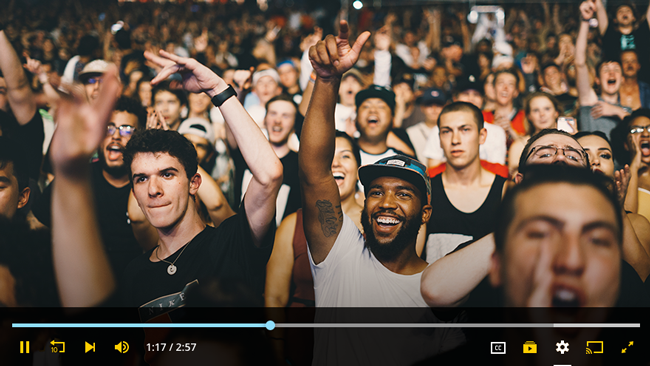
HTML5 |
|
|
Responsive Design |
|
|
Floating Player |
|
|
| Airplay and Google ChromeCast Ready |
|
|
| Support for playback of 360 Video. Both magic window and VR modes are supported when streaming a spherical 360-degree video. Deprecated, support only with JW7 and below 8.17 |
|
|
| Version Up-To-Date of the Extension |
4.0.0
(28 December 2023) |
5.34.0 (Module), 4.34.0 (Plugin)
(16 August 2024) |
Changelog JW Player Advanced 16 August 2024
^ Upgrade to JW Player 8.34.5
+ JW 8.34.0 Player v8.34.5 introduces two new UI/UX features and addresses a player behavior bug, In this release, several FreeWheel and Google PPS fixes have been released, In this release, a new property has been added to the beforePlay event.
+ JW 8.33.0 With JW 8.33.2, we're upgraded the OM SDK, JW 8.33.4 updates the ad loading screen for videos without thumbnails, migrates from the unload event, and fixes several player issues.
+ New Feature
New methods for converting color names and creating DOM elements have been implemented, which improve player performance.
The player now supports localization for the following language: Chinese (Taiwan) (code: zh-tw).
Several FreeWheel and Google PPS fixes have been released.
The beforePlay event now contains the state property that indicates the play state.
The display of the ad loading screen has been updated for videos without thumbnails.
The system has migrated from using the unload event.
OM SDK has been upgraded to version 1.4.12
# Bug Fix
Autopause and pause behaviors are now respected when the player is not viewable.
The FreeWheel Plugin correctly sets the mode to ad request when the stream is live.
Mute and unmute behavior in FreeWheel ad pods is now reflected correctly.
Google Publisher Provided Signals (PPS) values are sent and encoded properly.
skipAdBreak works for VPAID ads in the VAST client.
The window border now displays correctly for Tizen captions.
DASH subtitles with multiple rows in a single cue display correctly.
The DASH audio track menu will correctly play the selected track. |
|
|
| Name |
JW Player Module |
JW Player Advanced
(Module + Plugin) |
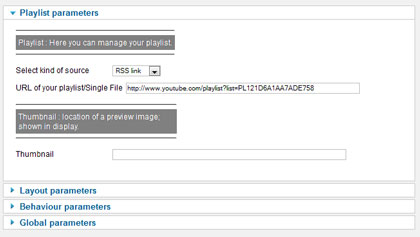
External RSS Link - (RSS - Media, SMIL, Youtube, JSON)
- RSS feeds with Media extensions (example).
- JSON feeds, formatted the same way as our embedded playlists.(JW 7+)
- Basic SMIL feeds
- Youtube Link and Playlist ( FAQ), Add thumbnail automatically for youtube video.(JW8 is not compatible with Youtube)
- YouTube content will automatically select the optimal quality setting for your player embed. (JW8 is not compatible with Youtube)
|
|
|
External RSS Link - ( HLS, DASH)
- DASH Playlist in MPD, (*JW7 and 8 Only, Broad Encoder Support, Live and DVR Streams)
- HLS Playlist in M3U8, (Support for HLS Protocol, Multiple audio track renditions,
Subtitles in HTTP Live Streaming using WebVTT), (ID Tag support.)
|
|
|
Support Video/Audio Files
- Video Formats: MP4 (H.264/AAC), FLV (VP6/MP3), WebM (VP8/Vorbis) (Added support for CMAF format streams across all browsers.)
- Audio Formats: AAC, MP3, Vorbis. ID Tag & ID3 timed metadata support.
- Youtube: JW Player supports YouTube HTML5 chromeless player! This allows HTML5 YouTube videos to played in the JW Player on mobile and desktop! (JW8 is not compatible with Youtube)
|
|
|
+
-
Set Your playlist : Editor, Auto generate, Multiple Source, JSON, CDN, HLS, FB Live, JWPlatform, CloudFront, DVR, AES, 360, VR...
Click to collapse
| Name |
JW Player Module |
JW Player Advanced
(Module + Plugin) |
HLS (Apple and Microsoft Azure ) - With HTML5 Devices like iOS and Android (version >4.0) |
|
|
HLS (Apple and Microsoft Azure ) - With Flash Desktop Browser (*JW7 starting from Starter License, *JW8 for all versions)
Removed support for Flash, which was deprecated by Adobe on December 31, 2020. |
|
|
HLS DVR Live Streaming - (*JW7 starting from Enterprise License, *JW8 starting from Enterprise License), Adaptive bitrate switching for Live, DVR and VOD streams |
|
|
DASH Streaming - (*JW7 starting from Enterprise License, *JW8 for all version), (Broad Encoder Support) |
|
|
DASH DVR Live Streaming - (*JW7 starting from Enterprise License, *JW8 starting from Enterprise License), (Live and DVR Streams) |
|
|
MPEG-DASH DRM - (Protect your content with Widevine ,Playready and Fairplay DRM. Available in Enterprise Edition only.), support DVR and Multiple audio tracks |
|
|
| FACEBOOK Live Streaming - ( * starting from Enterprise License) |
|
|
|
AES Content Protection - (only with Enterprise License, Support for Microsoft HLS Azure Clearkey + Playready AES tokenization |
|
|
| Akamai HD Network - ( starting from Enterprise License) |
|
|
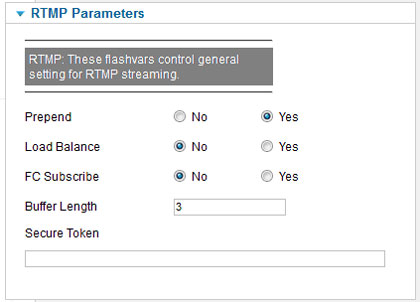
RTMP - Flash Only, Ability to extract ID3 metadata from RTMP streams. (JW8 is not compatible with RTMP)
Removed support for Flash, which was deprecated by Adobe on December 31, 2020. |
|
|
| Tizen on 2018+ Samsung smart TVs,The future of TV viewership is OTT, and along with our comprehensive app offering, we’re excited to announce beta support for embedding video players in Tizen apps on 2018+ Samsung smart TVs. Tizen is a web-based platform that is already capturing significant market share worldwide. Our beta offering works out of the box on these devices using the same web player library and setup configuration you know and love. Check out our getting started page, which includes a demo app. NEW!! - ( starting from Enterprise License) |
|
|
| Amazon's CloudFront, (Amazon Web Services) offers content providers a simple and reliable way to host, format and deliver their video content at high speeds. |
|
|
JW Player Module |
|
JW Player Advanced
(Module + Plugin) |
|
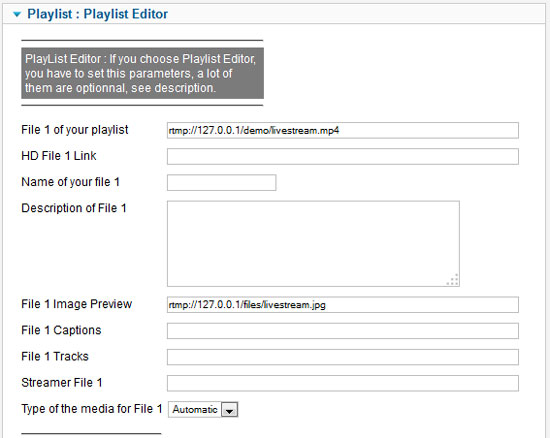
Playlist Editor - 1 to 50 items for the Playlist Editor, including settings for each one. :
- Captions (closed captions on top of the video for each items).Now support Label (Set a name for the Language files selection) and default Language.
- Tracks -Thumbnails : Ssupports the loading of preview thumbnails for individual shots or scenes in a video. These thumbnails are displayed in a tooltip when a viewer hovers the controlbar. This allows for quick scanning and navigating of longer-form content.
- Tracks - Chapters : Supports the rendering of chapter markers within the timeslider. These work particularly well for long form video when you want your video to be segmented into discreet sections. A viewer can quickly hover over the cue point and can see the title of the chapter or section. Clicking on the cue point navigates you directly to that point of the video.
- HD for each items. Now support Label (Set a name 720p, 1080p... for the files selection) and default quality.
- Title (Title of the video, shown in the display or playlist.)
- Image (location of a preview image; shown in display and playlist.)
- Description (Text description of the file.)
- Type (This is determines what type of mediafile this item is, and thus which model the player should use for playback. By default, the type is detected by the player based upon the file extension.
If there's no suiteable extension or the player detects the type wrong, it can be manually set.)
|
JW Player Module Advanced - Admin Backend
|
JW Player Module |
|
JW Player Advanced
(Module + Plugin) |
|
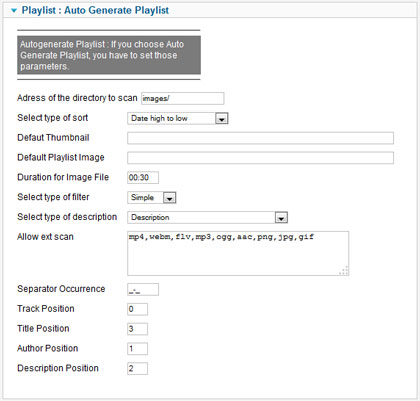
Auto Generate Playlist - Scan files
(Sort any Media Extension as long it's support by the Player) in a directory and generate a playlist (Please Read the FAQ for more explanation) :
- Sort by date, alphabetical, random.
- Assign automaticaly thumbnail file (jpg, png, gif)
with audio/video file (mp3, ogg, mp4, webm, aac...) associate (same name).
- Assign automaticaly an alternative (smaller) thumbnail that is loaded into the visible playlist.
- Assign defaut thumbnail (or not) with file with no thumbnail associate.
- Assign Tracks -Thumbnails, JW Player supports the loading of preview thumbnails for individual shots or scenes in a video. These thumbnails are displayed in a tooltip when a viewer hovers the controlbar. This allows for quick scanning and navigating of longer-form content.
- AssignTracks - Chapters : Supports the rendering of chapter markers within the timeslider. These work particularly well for long form video when you want your video to be segmented into discreet sections. A viewer can quickly hover over the cue point and can see the title of the chapter or section. Clicking on the cue point navigates you directly to that point of the video.
- Occurence filters for analyse name file
for generate track number, title and description.
- Automatic Captions (caption file must have same name of the stream file).
- Automatic multiple qualities sources (hd file must have same name of the stream file + source.file in the name).
|
JW Player Module Advanced - Admin Backend
|
| Name |
JW Player Module |
JW Player Advanced
(Module + Plugin) |
RSS Link - (RSS - Media, SMIL) |
|
|
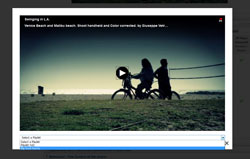
Multiple Playlist :
- Appears with a dropdown List under the player.
- Playlist Titles for Dropdown List choice (adress of the link, clean name of the file, or title of the rss link using curl library).
- Length Max of Playlist title for Dropdown List.
- Dropdown Style choice (defaut or using css class).
|
|
|
JW Player Module |
|
JW Player Advanced
(Module + Plugin) |
|
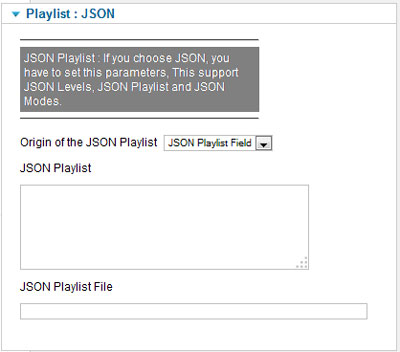
JSON PLAYLIST - This is a very specific mode, reserved for advanced users!!.
You can set directly the JSON playlist in a field or load a JSON playlist file (.txt,.json) as well.
- JSON Playlist : JW use the levels configuration block with a more flexible sources block. It is part of every playlist item. Use sources to provide multiple media formats, multiple quality levels or multiple formats with multiple qualities.
- Javascript events: Added a new method, setAllowFullscreen, which through updating the boolean, disables or re-enables the above fullscreen behavior.
|
JW Player Module Advanced - Admin Backend
|
JW Player Module |
|
JW Player Advanced
(Module + Plugin) |
|
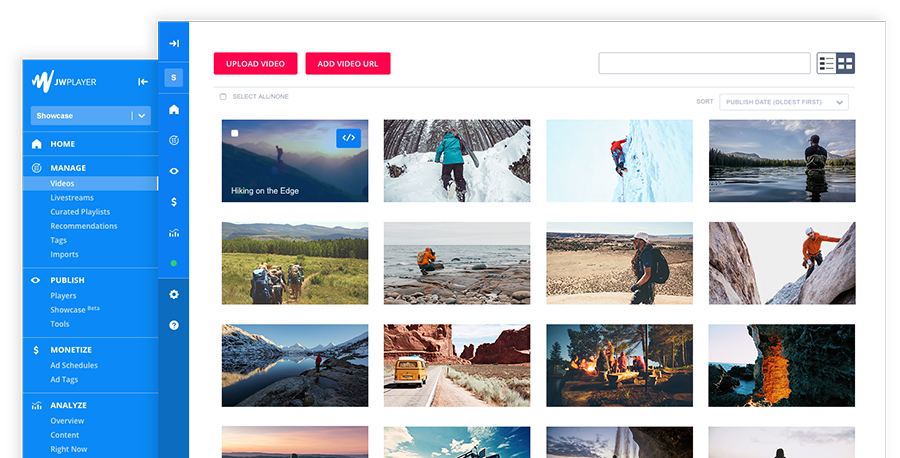
JW Platform (Formely Bits Of The Run),
Streaming video platform based on JWPlatform server :
- JWPlatform web interface, upload (web or ftp), manage and publish single videos.
- JWPlatform web interface, create, manage and publish channels (playlists of videos).
- JWPlatform web interface, create and manage players (the widgets that play your video).
- JWPlatform web interface, statistics, analyze how your videos perform. Track views, pageviews, hours viewed and engagement.
- JWPlatform web interface, Account management, you can track your content and traffic balance and edit your account settings.
- JWPlatform Backend Extension, Choose streaming display : JWPlatform, combine JWPlatform to Local, combine local to JWPlatform, Local.
- JWPlatform Backend Extension, Sign url, your content is secure by signing link trough your secret api key.
- JWPlatform Backend Extension, Set time out for sign url.
- Improved image size decisioning for JW Platform streams. When the player loads an image, whether it's a poster image or thumbnail, it now uses the closest available image size rather than one fixed size across the board. This will improve data transfer as well as user experience. NEW!
|
|

|
|
JW Player Module |
|
JW Player Advanced
(Module + Plugin) |
|
Google’s Accelerated Mobile Pages (AMP)
Google’s Accelerated Mobile Pages (AMP) have become ubiquitous for digital publishers, which is why we’re excited to release AMP improvements in JW 8.23+ and to our official AMP component, amp-jwplayer. AMP is an open source HTML-based web component framework that enables media companies to easily create web pages that are “compelling, smooth, and load near instantaneously.” Developers will find that amp-jwplayer is now compatible with other AMP components, including amp-analytics, which allows video player data to be sent to any supported analytics platform, and amp-video-docking, which allows the player to stick to the page.
- Updated our amp-jwplayer documentation on amp.dev including all the attributes mentioned in the release notes.
- To the amp-jwplayer component, added support for a new attribute, data-config-json, which accepts a full JSON configuration using any key values listed in the web player configuration reference, with the exception of media, which should use the media ID or playlist ID attribute, and the floating player, which should use the amp-video-docking component and the dock attribute on the player element.
- Added support for appending the iframe source url before player setup, to support token signing for example, with new attributes data-player-param-* and data-player-querystring.
- Added an attribute, data-ad-cust-params, which supports a JSON string of custom parameters that will be appended to the end of an ad tag on ad request.
- Added an attribute, data-config-skin-url, which accepts a url to an externally-hosted CSS file that will be loaded inside of the iframe, and can be used to target JW Player elements. You can also load this file as skin.url in your JSON setup configuration using data-config-json. See our documentation on how to create your own CSS file.
- Added an attribute, data-config-plugin-url, which accepts a url to an externally-hosted Javascript file that will be loaded inside of the iframe, and can be used to apply custom Javascript to the player.
- Added support for populating ad tag macros in AMP with a new attribute, data-ad-macro-*.
- An attribute used to override the default value of macros in ad tags. Supported macros include: domain, referrer,page-url, item-{custparam}, and item-{custparam}-list. For example, setting data-ad-macro-domain=jwplayer.com would ensure the requested ad tag populates the domain parameter with the defined page url. See our ad tag macro documentation for more information.
- In AMP, added support for the amp-consent component, which a way for publishers to collect and store user s consent through a UI and is a way to block AMP components based on the user’s consent. Added a new attribute, data-block-on-consent, which if set blocks the player from loading until the consent state is resolved. The consent data will then be passed to the player's iframe as query parameters for use with advertising implementations. See the amp-consent blocking behaviors documentation for possible values that this attribute accepts.
|
| Name |
JW Player Module |
JW Player Advanced
(Module + Plugin) |
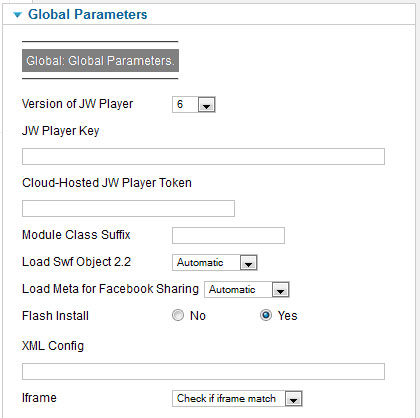
| Player Version : Choose what version of JW Player you want to use, 8.x is the default player, 7.x is the legacy player, 6.x is a deprecated Self-Hosted player, Cloud-Hosted player is available as 8.x, 7.x. and also in AMP version (Google’s Accelerated Mobile Pages) |
|
|
| Account Token Key : If you want to used the CDN JW Player or the AMP Player, set the Account Token key, The cloud-hosted JW Player is our recommended setup method.
You can find your account token key inside your JW Player Account. Here is what your account token key looks like https://jwpsrv.com/library/YOUR_ACCOUNT_TOKEN.js |
|
|
| Display or Not Link to Adobe Flash Installer |
|
|
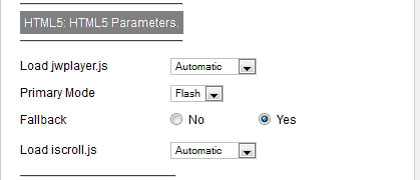
| HTML5 Primary : Which rendering mode to try first for rendering the player. Can be html5 (default) or flash . |
|
|
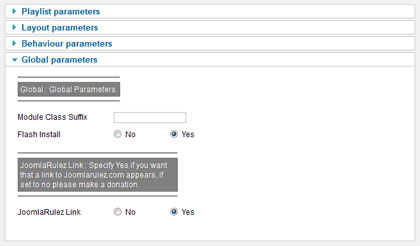
| HTML5 JS : Add Load jwplayer.js Automatic, force to yes, force to no. |
|
|
| Iframe : When using sharin plugin, viral plugin, Modal pop-up, highslide pop-up, windows popup, we use iframe html page, those pages can be build by 3 ways : Build iframe if not exist (the script will just verify if the html page exist and only if not it will build the page, it use less ressources but this will not reflect modification made after the initial build), Check if iframe match (This will check if the iframe page exist and check also if it is up to date by matching if it is not it will rebuild it), and finally, Rebuild the iframe (It will re build the iframe even if it exist, this will force the rebuild, be careful this will use ressources, it is interesting only if you want to be sure to have rebuild all your iframe page, think to reset it after rebuild to the default setting, fullscreen support for iframe in embed code. |
|
|
| Module Class Suffix |
|
|
| Cache Parameters |
|
|
Facebook embed (Load Meta Tag in HTML Head).
Type the link to the Thumbnail for sharing the page on Facebook, this allow sharing the page where the page player is on Facebook, for that you will have to set this field.
Please note: JW Player no longer supports in-feed video playback on Facebook. |
|
|
Debug , If you're having issues with a JW player compil by yourself, you should enable debugging in the JW Player. This can be done by right-clicking on any player and then clicking on 'Debugging to…'. Repeating this process will cycle through the list of available debugging options: none, trace - logs debugger output to the flash debug log. arthropod - Arthropod is a handy Adobe Air application that we often use to look at debugging output.
The "Flashvars" mode will display a pre code with all flashvars load in the player. |
|
|
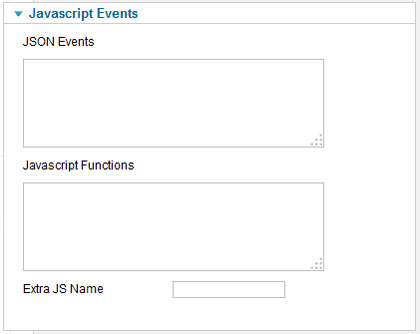
Javascript Functions, This JS code field will be place just after the main parameters code and allow you inline Javascript Functions, this is a shorthand JavaScript API for interacting with your website. This API abstracts any differences between Flash and HTML5; any code you write will work with both technologies.
The beforePlay event now contains the state property that indicates the play state. NEW !!
The system has migrated from using the unload event. NEW !!
OM SDK has been upgraded to version 1.4.12 NEW !!
|
|
|
| Extra JS , Extra Javascript to Load, this can be useful for Extra plugin features or load jwplayer.key in a obscufated file. |
|
|
JW Player Module |
JW Player Advanced
(Module + Plugin) |
|
|
JW Player Module |
|
JW Player Advanced
(Module + Plugin) |
|
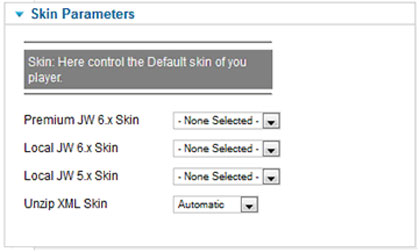
CSS JW Player skin support
JW Player skins change the appearance of the player, adding a custom layer to your player embeds. All visual components of the player (the controlbar, display, tooltip, dock and visual playlist) can be skinned. There are two ways to get a skin for your player.
The nine complimentary skins offered in JW7 have been deprecated in JW8, but customizing JW Player is easy with JW Player 8's CSS-based skinning model.
- JW 8 :
- To configure colors only, our 11 skin color configuration options, which can be defined inside the player setup, may be sufficient.
- For more advanced users, you can build your css skin and load it in the backend as JW7 does, please see our CSS Skin Reference.
- Added support for updating aspectratio, width, height, and stretching configuration options via the setConfig() API.
- New methods for converting color names and creating DOM elements have been implemented, which improve player performance. NEW !!
- JW 7 :
- To configure colors only, our 3 skin color configuration options, which can be defined inside the player setup, may be sufficient.
- Using JW Player's built-in skins, The 9 skins included in JW7 can be select in the backend of the extension, thaye can be modified
|
| |
| Name |
JW Player Module |
JW Player Advanced
(Module + Plugin) |
| Visual Playlist : By default, JW Player will display a visual playlist icon when a playlist is utilized. This icon can be hidden by setting visualplaylist to false. (*JW7 and 8 Only) |
|
|
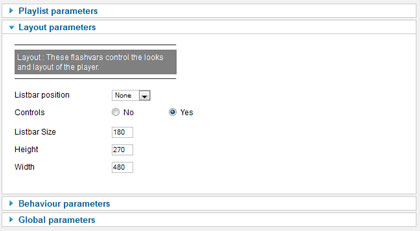
| Listbar : Size, Position, Layout (*JW6 Only, Listbar has been removed from JW7 and 8. This has been replaced with our Visual Playlist feature.) |
|
|
| Height |
|
|
| Width (It can be set to 100% to enable Responsive Design, in combination with the aspectratio option.) |
|
|
| Aspect Ratio : This option, used to setup JW Player for Responsive Design, is set to the video display aspect ratio, for example 16:9. When the width of the player changes, it then automatically scales its height accordingly. When the aspectratio is set, the height option is ignored. |
|
|
| Layout :The layout attribute gives you easy, per-element control over how your element should render on screen. Many of these things are possible with pure CSS – but they're much harder, and require a myriad of hacks. Use the layout attribute instead. (AMP Only) NEW!! |
|
|
| Controls :
Whether to display the video controls (controlbar, icons and dock). Can be false or true (default). |
|
|
| Internationalization : Automated Player Translations
JW 8+
JW Player wants to save you time and improve the viewer experience out of the box with our latest feature, automated player localization.
Did you know that our video player contains over 50 customizable tooltips, labels for menus and overlays, and ARIA labels (for accessibility viewers who use screen readers)?
Previously, you had to customize these fields in order to provide a better viewing experience on non-English language sites. It is time consuming to translate the player, so we have done the work for you so that your viewers can benefit today.
The player will automatically translate those fields to match the language on your website. We have included support for 25 languages and will add more by request. Enjoy a seamless experience that increases clarity and engagement for all of your viewers. |
|
|
| Localization JW7+: more then 30 configurations parameters come with JW8, Inllcuding Error codes, Internationalization and Localization fields can be mixed |
|
|
| Time slider : Configuration that moves the timeslider above the control bar buttons at all player sizes. (Deprecated for JW8 since it will be the only layout) |
|
|
| Horizontal Volume Slider : When optionally set to true, makes the volume slider appear horizontally, below the scroll bar, instead of above it. |
|
|
| Next Up Display : Option to disable the “Next Up” tooltip |
|
|
| Quality Labels : Use this configuration option to apply a custom quality label to a desired bandwidth in kbps, works for HLS and DASH. |
|
|
| DisplayTitle : Hiding the title from the play icon. |
|
|
| Display Description : Can be used to toggle the display of a files description field. |
|
|
| Playback Rate Controls : Whether to display a button in the controlbar to adjust playback speed. |
|
|
| Display Playback Label : Enables call-to-action text beneath the play button on the player idle screen. |
|
|
| Allow Fullscreen: which defaults to true. When set to false, fullscreen functionality is completely disabled in the player including tapping, clicking, keyboard shortcuts, and API access. |
|
|
| Add automaticly sort in the Skin selection list you own skin upload in the skin directory |
|
|
| Name |
JW Player Module |
JW Player Advanced
(Module + Plugin) |
| Logo (Location of an external jpg, png or gif image to show in a corner of the display.),With JW7 and 8 No commercial license is required. |
|
|
| Logo.link: link to direct to when the watermark image is clicked on,With JW7 and 8 No commercial license is required. |
|
|
| Logo.hide: When set to yes, the logo will auto-hide,With JW7 and 8 No commercial license is required. |
|
|
| Logo.position: The corner in which to display the logo,With JW7 and 8 No commercial license is required. Added a new logo position option, “control-bar”, which places the logo in the control bar with an optional clickthrough link. NEW !! |
|
|
| Logo.margin: The distance of the logo, in pixels from the sides of the player,With JW7 and 8 No commercial license is required. |
|
|
abouttext: The text that goes between 'About' and '...' in the right-click menu. If it is not set, no menu item will appear.With JW7 and 8 No commercial license is required.
Updated the About This Video modal (accessible via the right click menu) to include stats for nerds, including information about the stream including media ID, buffer health, resolution, and more. |
|
|
| aboutlink: The URL that will be opened (in a new window) when a user clicks on the about text. If it is not set, clicking on the about text will not have any effect.With JW7 and 8 No commercial license is required. |
|
|
| Name |
JW Player Module |
JW Player Advanced
(Module + Plugin) |
Floating Player: In the industry, a video player that is at least 50% in view on the screen for greater than two seconds is considered viewable. Viewability is a key signal of engagement, which is why it has become the gold standard for publishers and advertisers alike.
JW 8.8.0 introduces the floating player, which minimizes itself to the bottom right corner of the screen when a viewer scrolls the player out of view. It ensures nearly 100% viewability and can be easily dismissed back to its original position.
It also add the ability for the viewer to drag and reposition the floating player anywhere on the screen. Dragging is disabled during ad playback |
|
|
Keyboards Shortcuts: Improved support for keyboard navigation in JW8.
Users can tab to advance through buttons and menu options in the player, and use the enter key in lieu of a click to take action on any focused item.
The escape key can be used to close overlays and menus.
JWP supports new accessibility keyboard shortcuts to increase caption size (+) and decrease caption size (-). |
|
|
Screen reader support
Read out the current position when focused on the time slider or when seeking.
Read out the volume when changed.
We are invested in inclusive practices that comply with laws and standards such as the Web Content Accessibility Guidelines (WCAG). Our web player is accessible by keyboard and screen reader, and supports and renders all popular captions formats. |
|
|
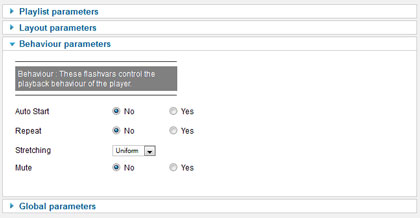
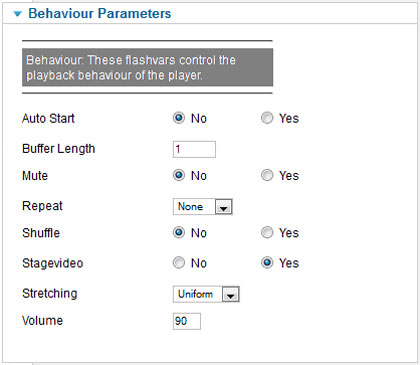
Auto Start: Choose Automatically start the player on load, Added config which starts playback on desktop devices when the player appears in view rather than on page load or via user click. |
|
|
Auto Pause: Another way to increase average viewability is by automatically pausing the video when the player is out of view. Our auto pause feature can help you do just that. it automatically pauses the video when less than 50% in view, including when the player is no longer in the active tab. |
|
|
| Next up offset: Added a nextupoffset that can be used to trigger a moment in the video to display the Next Up item. The default value is 10 seconds before the item ends. |
|
|
Pip Icon: Picture in picture minimizes videos to a corner of the screen, allowing you to multitask in any other app or browser tab.
Picture in Picture, or PiP, as it s often shortened to, works at the operating system level, as compared to our floating player,
which only minimizes to a corner of the current browser tab and is not viewable when backgrounded.
We have added out of the box support across Chrome and Safari on desktop and mobile devices. |
|
|
| LiveTimeout : The new liveTimeout configuration option accepts a number. The default, undefined behavior is dependent upon segment length and differs slightly across providers. To configure a stream to never time out, set this value to 0. |
|
|
| Mute: the sounds on startup, Added support for autoplay muted on iOS Chrome |
|
|
| Preload : Provides faster video startup by preloading media metadata, parsing manifest on page load, and/or starting to download the actual media.
8 introduces smarter preloading, The wait time for media to start playing after an ad goes from seconds to milliseconds in 8. |
|
|
| Android HLS: HLS is now enabled by default for Android devices 4.1 and greater. To turn HLS off set to false |
|
|
| Resizing: Resize or not to fill the entire canvas |
|
|
| Stretching: Defines how to resize images in the display |
|
|
| Repeat: Whether to loop playback of the playlist or not. |
|
|
| Default Bandwidth Estimate: Enables Google SEO Optimization. When Google Search Optimized is enabled, the video player will load with structured data that Google search crawlers use to index video content. |
|
|
| Generate SEO Metadata: Sets an initial bandwidth estimate in bits for all viewers. To set the highest quality as an initial estimate, reference the highest bitrate from your manifest. |
|
|
Resume player: Add resume player option, user can quit page and come-back and continue media where he stopped, this feature used cookie (beta works only with a single player). NEW!! |
|
|
Extra Flashvars: With this new features you can add with a simple syntax some flashvars not yet implement, you just have to list them and use a & to separate them, like this : flashvar1=value&flashvar2=value&flashvar3=value. |
|
|
JW Player Module |
|
JW Player Advanced
(Module + Plugin) |
|
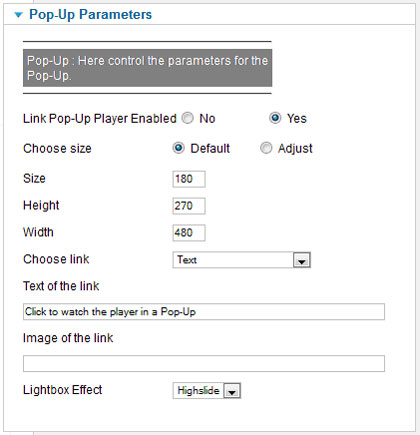
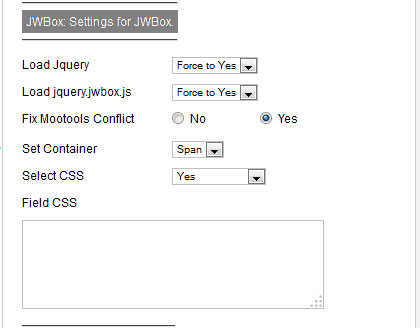
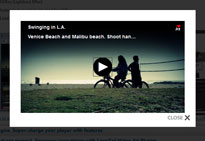
Pop-Up Player - (JWBox, Modal, Bootstrap Modal, Windows, Highslide), You can activate or not a Pop-Up Player, it will appear under the player, by a text or an image or both or replace the player,
Pop Up Player have a lot of controls :
- Size, height, width configurable.
- Image, Text or both link.
- Overide Player with image, Text or both link
- Modal Effect, using Native Joomla library lightbox.
- Bootstrap modal popup, compatible with Joomla 3 and 4 (Native bootstrap library), beta version.
- Highslide Effect. (a Highslide plugin must be install, we valid this with Highslide JS for Joomla plugin from Joomla on the JED)
- JWBox (Lightbox) Effect.
- Autedetect or not Jquery load for JWBox.
- Load CSS or not for JWBox.
|
JW Player Module |
|
JW Player Advanced
(Module + Plugin) |
|
Google Chromecast and Airplay,
JW Player is Airplay adn Google Cast Ready, This functionality will allow your videos to be cast from a Chrome browser via the Chromecast plugin directly to a JW Player receiver app on a Chromecast-connected TV.
Once the JW Player detects a Chromecast on the network, a Cast icon appears in the control bar to let viewers know they can display their content on a TV. The JW Player within the browser becomes a remote control for viewing media on a TV screen.
Cast videos from Chrome on iOS using built in casting controls. Control closed captions with the JW Player support. Includes FCC caption styling support. Casting controls are available when JW Player renders in Flash to play mp4 videos.
The following HLS v3 streams can now be played on Chromecast : AES Encrypted streams, Live and DVR Streams and VOD streams.
Control playback and volume directly from the Google Cast extension. Includes native caption and subtitle support for casting.
Registering with Google Cast : JW 7+ no longer uses the custom receiver application hosted by JW Player.
Instead, once casting is enabled the player will connect to the default receiver application hosted by Google.
Because of this, you no longer need to register an application ID with Google and all existing setups will function correctly. |
Licence less Plan : Starting at 19€ with Advanced (*JW7 and 8 Only) editions
Licence Plan: Enterprise editions
|
Admin Backend |
|
|
JW Player Module |
|
JW Player Advanced
(Module + Plugin) |
|
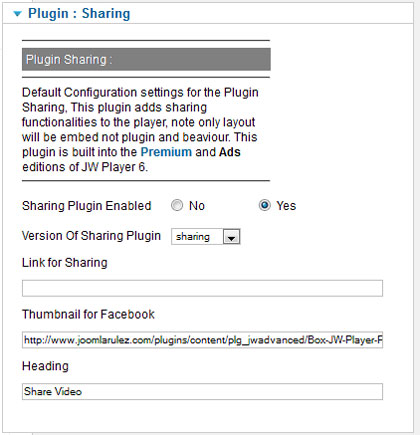
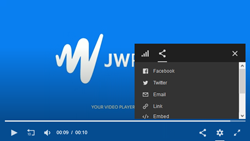
Sharing, Sharing is most often used in viral sharing of a video. The Sharing plugin for the JW Player can display a screen to share the embed code of the video, or a share link for the video, e.g. the URL for the page where the video is hosted.Also is displayed as a tooltip for the sharing icon.
This Plugin adds sharing functionality to the JW Player.
- In the embed screen, an embed code for the specific video can be copy-pasted.
- In the share screen, a link to thesite for this specific video can be copy-pasted.
This screen also offers shortcuts for posting this link to:
Twitter,
Facebook,
An email message
- Sharing Plugin supports the JW Player Skinning, and Playlists.
- Facebook embed link feature.
- CSS-based design
- API to triggers and hides display as well as showing which networks get clicked.
- Add your own custom social networks. Default networks include - Facebook, Twitter, Pinterest, Email, Tumblr, Google Plus, Reddit, LinkedIn.
- Created small player and mobile-friendly overlay that scales based on player size
|
Licence less Plan : Starting at 19€ with Advanced (*JW7 and 8 Only) editions
Licence Plan: Enterprise editions
|
|
|
Admin Backend |
|
JW Player Module |
|
JW Player Advanced
(Module + Plugin) |
|
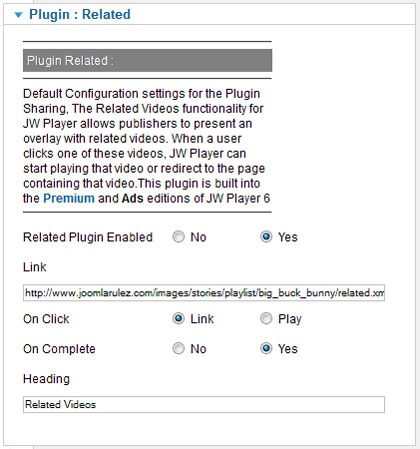
Related, Users can activate the overlay by clicking the Related Videos button in the top left of the display. Additionally, the overlay can be popped up automatically when a video is completed.The plugin automatically renders a grid of thumbs, showing as many as fit the screen. Buttons for re-playing the video and for closing the overlay are shown in the top corners.Also is displayed as a tooltip for the relate icon.
Recommendations Widget
Introducing a new user interface for our Recommendations customers: the shelf widget, which dynamically inserts a horizontally-scrolling carousel of thumbnails directly below the player.
In contrast to the in-player shelf, which is only visible on pause and when the viewer manually opens it themselves, the new widget interface is always viewable below the player.
We encourage you to turn on the shelf widget, which will further increase opportunities to display recommendations and drive plays as a result. (Business and Enterprise editions only)
- CSS-based design with responsive Grid layout
- Automatic Related Playback with configurable countdown timer and message.
- Added support for related feeds in JSON file format
- New API to triggers and hide display as well as show which video gets watched.
|
Licence less Plan : Starting at 19€ with Advanced (*JW7 and 8 Only) editions
Licence Plan: Enterprise editions |
|
Admin Backend |
|
JW Player Module |
|
JW Player Advanced
(Module + Plugin) |
|
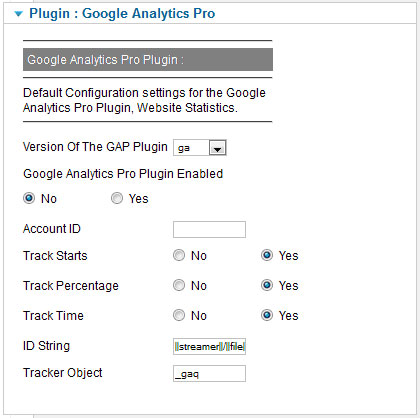
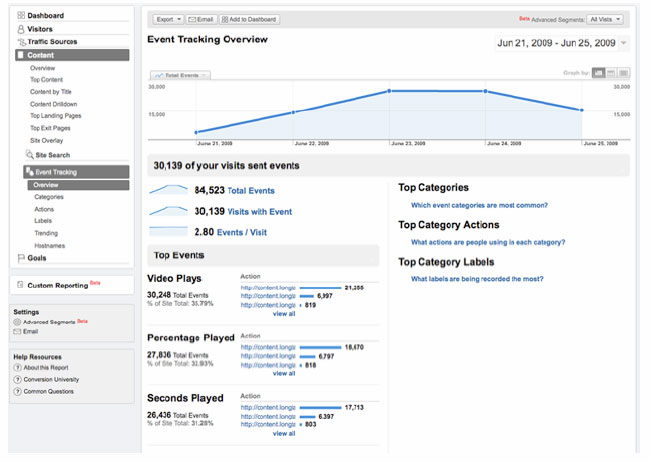
Google Analytics Pro, This plugin for the JW Player is designed to help you understand how well your video content is performing online. It takes advantage of Google's new Flash API for Analytics so you can track events within the JW Player itself.
The tracking of events (which includes allowing you to access information about not only what videos are watched, but how long users watch each video), aggregates it, and passes along the relevant information for easy and concise tracking within Google Analytics.we support Google's gtag.js. More information on Google's Universal Analytics upgrades can be found here.
Added support for the most recent Google Analytics embed type, gtag.js. Older types of embeds are still supported.
Google Analytics 4 is supported.
|
Licence less Plan : Starting at 19€ with Advanced (*JW7 and 8 Only) editions
Licence Plan: Enterprise editions
|
|
Admin Backend
|
Google Backend |
JW Player Module |
|
JW Player Advanced
(Module + Plugin) |
|
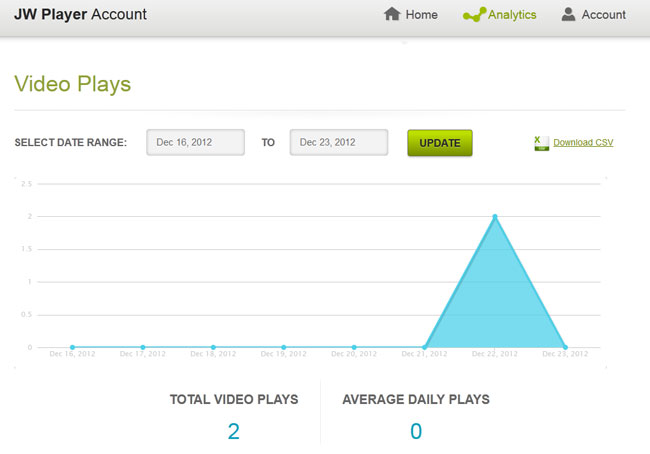
JW Analytics, Website Statistics. JW Player 6 offers a set of hosted services that augment the functionality of the client-side JW Player library. One of these services is JW Player Analytics, which provides basic video analytics to all users of the JW Player. Video analytics can be found inside your JW Player Account (it also holds your download zip and license key). Analytics are automatically enabled when a valid player license key is setup.
|
Licence less Plan : Free
Licence Plan : Free
|
|
Admin Backend
|
Longtail Backend |
JW Player Module |
|
JW Player Advanced
(Module + Plugin) |
|
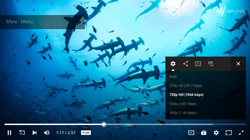
HD , On desktop browsers, JW Player add an HD quality toggle to your player embeds, allowing users to switch between multiple qualities of your videos.
JW Player automatically adds an HD button to its controls when it is setup with multiple qualities of a video file:
- If there are 2 file qualities, the HD button acts as a toggle between the HD and SD qualities.
- If there are 3 or more file qualities, the HD button will display a quality selection menu on rollover (like YouTube).
- If there are 3 or more file qualities and the viewer is on a mobile device, JW Player will still toggle only between the first 2 qualities. This to keep the interface easy to use with Touch controls.
As a publisher, you can set which quality to use on startup. The first quality in the list is the default and should be the lower quality version of your file. Once a viewer clicks the HD button and overrides the quality, JW Player saves that in a cookie for subsequent videos. |
Licence less Plan : Free
Licence Plan : Free
|
|
JW Player Module |
|
JW Player Advanced
(Module + Plugin) |
|
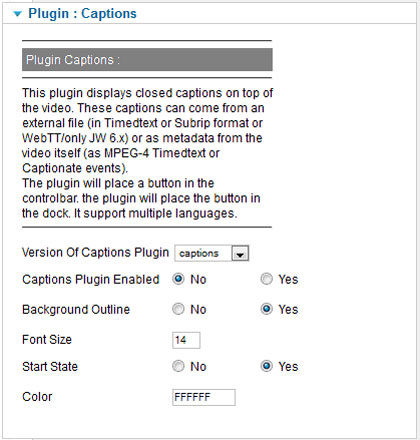
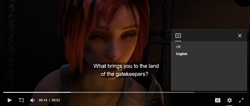
Captions , JW Player supports both external and embedded captions, The plugin will place a button in the controlbar. the plugin will place the button in the dock.Now support Label (Set a name for the Language files selection) and default Language, The font and background for captions can be configured.(Please Read the FAQ for more explanation)
:
- External captions can be in WebVTT format, which is part of the HTML5 standard. Additionally, SRT and DFXP are supported. In all cases, the captions are stored and served as separate text files.
- Embedded captions can be in TX3G format, which is part of the MP4 standard. The captions are stored inside the MP4 video files, requiring no separate downloads.
- FCC Captions Compliance by supporting further customization of caption styling options.
- VTT position is support.
- 608 captions in HLS streams for Microsoft Edge.
- OMID has been upgraded to version 1.4.2.
- For a more accessible user interface, ARIA labels have been incorporated into the float bar icon.
|
Licence less Plan: Free
Licence Plan : Free |
|
Admin Backend |
|
JW Player Module |
|
JW Player Advanced
(Module + Plugin) |
|
| Plugins |
Multiple plugin on same player
(Google Analytics Pro, Chromecast, Adobe SiteCatalyst, JW player Analytics, Sharing, Related, Captions, HD, VAST, IMA...) |
Extra Plugin , With this new features you can add with a simple syntax some plugins not yet implement, you just have to list them and use a comma to separate them, like this : plugin1,plugin2,plugin3.
Note : as some plugins need extra flashvars and / or extra JS files this is relate to Extra Flashvars and Extra JS features
Licence less Plan : Free
Licence Plan: Free |
|
JW Player Module |
|
JW Player Advanced
(Module + Plugin) |
|
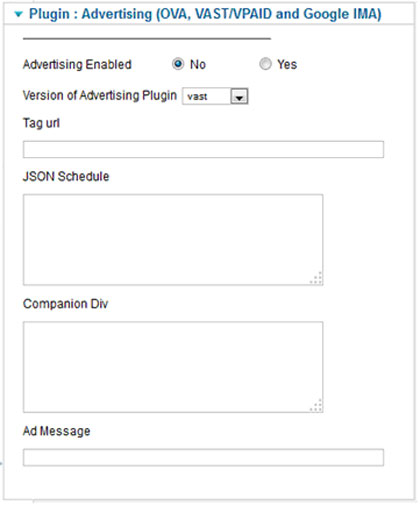
VAST/VPAID -The VAST plugin effectively turns the JW Player into an IAB compliant, advertising enabled video player. Through the use of the VAST plugin, linear (video and SWF) and non-linear (overlay) ads along with companion banners can be delivered from any VAST 1.0, 2.0, 3.0 and 4.0
- VAST 4 - Compliant ad server communication, HTML 5 compliant.
- VMAP - Able to parse ad schedules from a VMAP tag.
- VPAID Mode, a set of constants for enabling VPAID functionality
- FreeWheel ad Mode Plugin
- Several FreeWheel and Google PPS fixes have been released.NEW!!
- The display of the ad loading screen has been updated for videos without thumbnails.NEW!!
|
Licence less Plan : Not available
Licence Plan : Enterprise editions
|
|
| Admin Backend
|
|
JW Player Module |
|
JW Player Advanced
(Module + Plugin) |
|
The Google Interactive Media Ads (IMA) SDK enables publishers to display linear, non-linear, and companion ads in interactive media content such as videos and games. Publishers can use the IMA SDK to request and display ads served by DoubleClick for Publishers (DFP), the Google AdSense network, or any VAST-compliant ad server. Common scenarios for using the IMA SDK include displaying pre-rolls or overlays in video content.Support for the updated Googima IMA API.
Note: In-video ads served by Google's Dart For Publishers (DFP), supported through the Interactive Media Ads (IMA) SDK version 3. JW Player is one of Google's official video technology partners.
Passed the results of the autoplay restrictions check to the ad plugin.
Improved the IMA ads UI to account for Google ads with built-in skip buttons, countdowns, etc.
Created a new configuration property for VAST and IMA, preloadAds, which enables ad preloading for prerolls, midrolls, postrolls in the first playlist item.
Add maxRedirects configuration, The maximum number of redirects the player should follow before timing out.
Add bids configuration, Enable video player bidding with the given settings and bidders.
Add rules configuration, Enable ad rules with the given settings and bidders. |
Licence less Plan : Not available
Licence Plan : Starting at 79€ with Managed or Enterprise editions |
|
Admin Backend |
|
JW Player Module |
|
JW Player Advanced
(Module + Plugin) |
|
Audio Player - JWP players can be embedded to playback audio files. Yhe player is responsive and compatible for instance like the video plyayer with automatic, xml and JSON playlist
- The player support AAC audio file in an MP4 container, MP3 audio is also supported across virtually all desktop browsers and mobile devices.
- Less common audio file formats (like Ogg Vorbis or Shoutcast) should be avoided because they are not supported ubiquitously.
- MP3 streaming via HLS manifest (m3u8) is not supported.
The below example uses an audio file with a maximum height setting of 40 pixels. With this setting, the player enters audio mode and hides the video display and other non-essential control bar items, such as fullscreen. |
| Name |
JW Player Module |
JW Player Advanced
(Module + Plugin) |
| Help and Support |
| Advanced support : Priority Support, Response times have priority over Basic users. Profile and Forum Badge.
|
|
|
| Forum |
|
|
| Documentation |
|
|
| Player error coding and classification system documented in new Error Reference doc. |
|
|
| PHP version support 5.6.x, 7.0.x, 7.1.x, 7.2.x, 7.3.x, 8.0.x, 8.1.x, 8.2.x |
|
|
| Extension is validate as XHTML 1.0 Transitional! and for sure HTML5 compliant. |
|
|
| Extension is validate as CSS level 2.1 ! |
No CSS |
|
| GPLv3 |
|
|
| GDPR compliance for data transparency to assist customers whose viewers request access to their data. |
|
|
XTD Editor Plugin, Version 2.4.0, 27 december 2018
- Prepare the compatiblity to Joomla 4.
- Remove compatibility with Joomla 1.5.
|
|
|
| Updates |
Joomla Update system is now fully support, you will just have to set your download ID in the backend of the extension and save it, once done, you will able to upgrade your extension troug the Joomla admin interface without download it first on joomlarulez.com.
You can retrieve your Download ID on Joomlarulez.com : User menu --> Download IDs (https://www.joomlarulez.com/download-ids.html), Generate Download ID there.
You can generate multiple Download IDs.
Each Download ID can only be used for one website only. So if you use your extension on multiple websites and you have the right license, you will have to generate multiple Download IDs, each Download ID can only be used for one website only.
Each Download ID can be used for multiple extensions on the same website. So if you used multiple of our extensions on your website, you will only need one Download ID |
 NEW !! NEW !! |
|
| Upgrade for next Version (Require active subscription) |
|
|
JWPlayer.Key Field : All player editions have been merged into a single binary,
your license key will automatically activate the edition you have purchased. (Note : Instead set it in the dedicate field, you can also load it in a obscufated file).
AS JW8 and 7 All embeds require a valid license key to work. (Please Read the FAQ for more explanation).
For Licence less Plan You have to set your own key to enable license features or/and use JWPlayer Analytics |
|
starting price 19€/Year
(If Payment with
Crypto -30% : 13.3€) |
| Upgrade To another Plan |
|
|
| Downgrade To another Plan |
|
|
|